How to Identify Your E-commerce Product Page Keywords Using MozBar
Posted by BrianChilds
A common challenge when doing SEO for e-commerce sites is deciding how to choose keywords for product pages. When it comes to e-commerce in particular, there’s always that question on a page-by-page basis of “Which keyword is right for this page?” Especially for existing sites that need an SEO update, finding time to do page-specific keyword research can be burdensome. But product pages deserve every ounce of SEO they can get. Today, I’ll show you a way to make your e-commerce product page keyword research a lot easier.
My secret weapon?
By the end of this post, you’ll discover how you can easily:
- Look at the results for keywords related to your topic and get a sense of which words deliver the most similar results
- Get a sense for how search engines might see your term versus others
- Find related topics that deliver similar results, note those words, and then use them on your page
- Save time identifying what represents a good keyword and whether the results match your expectations
Let me show you how.
What makes a good SEO e-commerce keyword?
Since e-commerce pages often have direct competition from other websites, you need to go above and beyond when it comes to optimization. You’ll want to make sure you take into consideration not only the search intent of your desired customer, but also verify that the keyword you choose is actually delivering similar results in the SERP. When people search for products, you want to measure how narrow you have to go before a search result page starts displaying products similar to what you have.
For this example, I’ll use an e-commerce site that sells macbook and car decals. Think of all the different variants of those two broad search terms. There are 12 different subcategories of car decals alone.
One category is family decals, which allows a person to pick and choose amongst individual icons to create a customized family to display on the back of your minivan.

For this family decal segment, there are dozens of different individual product pages, so the goal is to make sure we optimize not just for a broad term like “car decal” but for a more nuanced term like “family car decal.” And then for the products themselves, dig into modifying terms relevant to the features.
Use MozBar to save time researching SEO e-commerce keywords
A common way to figure out what’s showing up for a search term is to just run a search query. But when you have thousands of pages, this can take forever.
This is where the MozBar Page Optimization feature really helps you get the job done. It allows you to stay on the website to do analysis without jumping between tabs to run search queries.
Let’s go through the steps.
1. First, of course, download the MozBar extension for Google Chrome (I’ll wait).
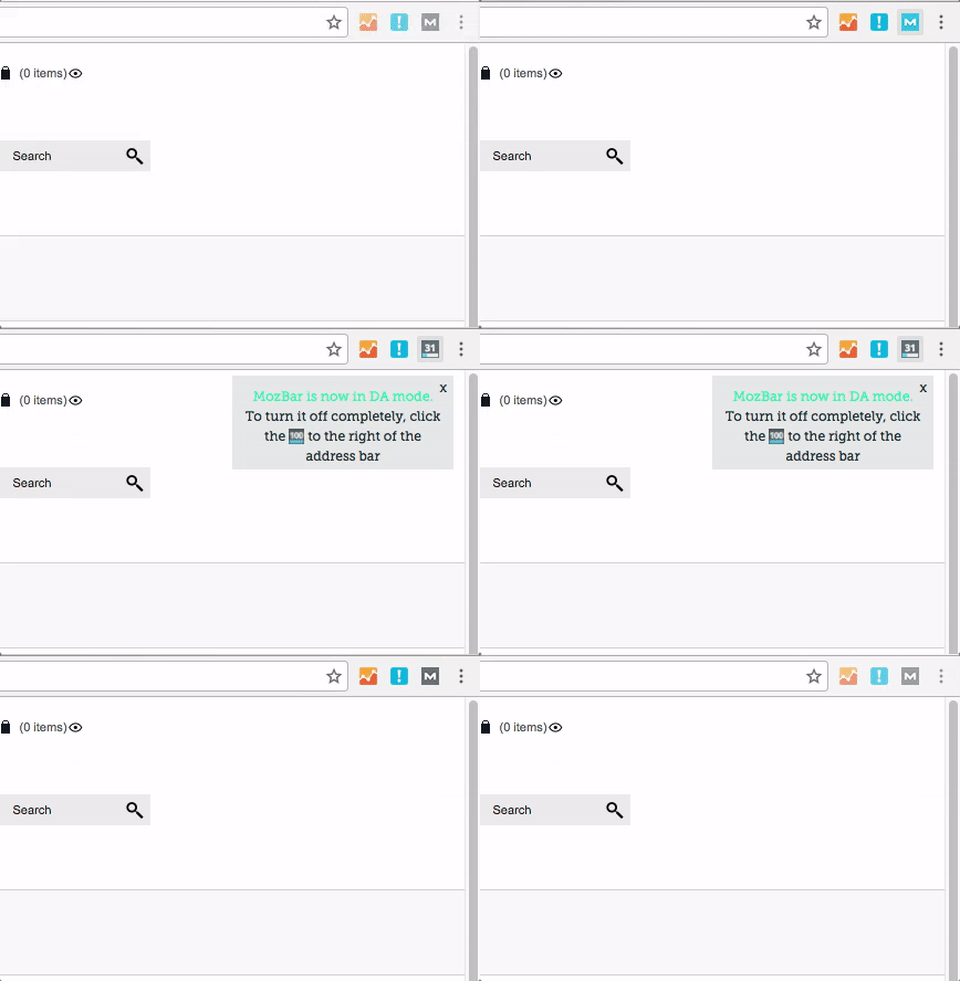
2. Next, go to your product page and activate your MozBar extension by selecting the icon until it turns blue (there are three statuses, FYI — on, DA mode, and off).
3. Then, select the Page Optimization icon near the top-left of your browser window. The icon looks like a little page with a circle in the corner:

4. A small text box window will appear. You’ll want to have a list of terms ready to go, so if you haven’t done your keyword research yet, head over to Keyword Explorer and use the “Suggestions” tool to get some preliminary ideas. I usually enter a broad category-level keyword, then select “Optimize”:

In addition to all the normal great stuff that MozBar provides, such as Domain Authority and Page Authority, the Page Optimization tool also gives you a quick overview of how well this individual page is optimized for the term you’re researching. This is similar to the information you’d get in the Moz Pro Campaign tools, but here you can see it for any page without having to have Moz open in another tab.
5. Once you’ve entered your search term, select the “On-Page Content Suggestions” tab:

The On-Page Content Suggestions tab shows you a list of keywords that the search engines typically associate with the term you entered. Think of this as other planets in the same constellation as the keyword you entered. You can use these generally to understand what additional words to put on your page, but you can also use them to identify the target keyword for the page overall.
Here’s where this gets awesome. Prepare to shave minutes off of your normal workflow.
Aligning search intent with e-commerce keywords
Starting with your highest-value products, navigate to the product page, open up MozBar, enter in your broad target keyword for the associated category, and then select the On-Page Content Suggestions tab.
Then, look for the keywords from the list that appear most aligned with your specific product. In this example, we’re looking at a family car decal product that exists in a broader category of car decals.
The question to ask is: Which keyword displays products that are most similar to your product?
If you can find results that align closely with your product, then you can understand something about how search engines are interpreting the term and have a higher chance of optimizing for the right keywords.
To see which pages are ranking for a given suggested keyword, simply select the “See top ranking URLs” dropdown. It will display the URL and rank position of sites delivering content similar to your initial target search term:

Using this example, you can interpret that “family stickers” definitely delivers results closely aligned with this product. Note that this correlates to the blue “Relevance” bar associated with that suggested keyword.
Make a note of the terms that are providing highly aligned search results pages, and then move onto the next product page. Once you have your list compiled, you’ll be able to be more selective and informed with your page optimization choices.
I hope you find this e-commerce keyword trick helpful. Let me know in the comments section of this article!
Bonus tip for making your life easy:
When doing this kind of research, I recommend saving yourself some time down the road by copying the URLs that show up in the On-Page Content Suggestions tab into a new spreadsheet or document. You can compile and research these URLs later using Open Site Explorer.
When it comes time to think about building links to my optimized pages, you’ll have a ready list of competitors to analyze. Look at their Inbound Links, Top Pages, and Anchor Text in Open Site Explorer in order to create a list of potential linking sites and content ideas.
Get started with MozBar for Chrome
If you’re interested in more keyword research strategies, consider signing up for a Keyword Research Workshop in the Moz Training site. For a deeper dive on MozBar, sign up for our January 24 webinar!
Sign up for The Moz Top 10, a semimonthly mailer updating you on the top ten hottest pieces of SEO news, tips, and rad links uncovered by the Moz team. Think of it as your exclusive digest of stuff you don’t have time to hunt down but want to read!
SearchCap: Google local pack ads, Bing Ads scheduling & Google Android offline searches
Below is what happened in search today, as reported on Search Engine Land and from other places across the web.
The post SearchCap: Google local pack ads, Bing Ads scheduling & Google Android offline searches appeared first on Search Engine Land.
Please visit Search Engine Land for the full article.
Safari iOS Adds Click to Call to Direct Search Answer
I have no idea when this was added but when you are searching via Safari, it is now showing a direct Yelp or TripAdvisor answer with a click to call option immediately available. It is not clear who is providing the click to call services. My money is on Yelp and TripAdvisor. Does anyone know? It … Continue reading Safari iOS Adds Click to Call to Direct Search Answer →
Google testing new look for local inventory ads in place of local pack
The test is another effort to monetize local queries on mobile.
The post Google testing new look for local inventory ads in place of local pack appeared first on Search Engine Land.
Please visit Search Engine Land for the full article.
Bing Ads rolls out scheduling for ad extensions
The option to show extensions during store hours or schedule for time-sensitive promotions is available in all markets.
The post Bing Ads rolls out scheduling for ad extensions appeared first on Search Engine Land.
Please visit Search Engine Land for…
Google AdWords To Only Allow Add/Edit Extended Text Ads Starting January 31st
Starting January 31st, you will no longer be able to add or edit your Google AdWords ads using the standard text ad format. It will…
New: Google Local Pack Showing Google Shopping Ads
Mike Blumenthal posted a screen shot on Twitter showing Google shopping ads in the local pack results for a query on [engagement rings buffalo] on mobile…
Google: Intrusive Interstitials Mobile Penalty Still Rolling Out Based On Recrawl
Many keep asking, has the Google mobile interstitial penalty fully rolled out yet…
Google Testing Google My Business Web Site Builder Tool
Mike Blumenthal reported on the Google My Business web site builder tool, to enable businesses to create a quick and dirty web site for their business…
Google AdSense Launches Ad Balance Slider To Show Less Ads
Google launched a new feature in the new Google AdSense user interface named “Ad balance.” Ad balance lets publishers use a slider to show less ads on their sites with the drag and click of a button…
Google Local Shopping Ads Showing in Pack Style Layout
This morning I spotted a new Google Local Shopping ad that places local inventory in a pack like display with a Map. This new ad unit is obviously a display test of their shopping campaing local inventory ad unit as it is not visible by many. For the history see Jennifer Slegg’s write up here. It … Continue reading Google Local Shopping Ads Showing in Pack Style Layout →
Google has another go with Google+
Google continues to mull over Google+ and has announced it’ll be adding Events, and what it describes as, “its time to say goodbye to classic Google+ on the web, which we’ll be turning down on Janu
read more
How artificial intelligence drives PPC automation
As artificial intelligence starts to play a bigger role in PPC account management, columnist Frederick Valleys believes we must be vigilant about understanding the capabilities of the systems we’re relying on.
The post How artificial intelligence driv…
TripAdvisor adds new enhanced listings products for hotels, restaurants
New subscription-revenue offerings give more control to hotels and restaurants over review and photo presentation.
The post TripAdvisor adds new enhanced listings products for hotels, restaurants appeared first on Search Engine Land.
Please visit Se…
SEO fact or fiction?
SEO has a somewhat questionable reputation. Why is that? At Yoast, we advise you to make an awesome website. Our SEO advice always comes down to: make sure to outrank the competition by being the best result. We actually collaborate with Google in the development of our plugin. So, why does SEO have a questionable reputation? […]
Google Android search app will keep trying your searches when your internet connection is poor
Don’t you hate it when your phone loses it’s internet connection and you can’t search for something on Google? Well, Google’s latest Android app makes that experience a lot better.
The post Google Android search app will keep trying your searches whe…
Building your SEO strategy in 2017: what’s most important?
If you’re wondering what factors to consider as you build your SEO strategy for 2017, links are still the top-ranking factor for Google’s algorithm with content close behind. And high CTR is still at the core of the rankings pack as well
How to Research and Target Informational Search Queries
It has been estimated that around 50–80% of searches fall into the “informational” category, so if you’re not already creating content to target these types of searches, then you’re missing a huge chunk of potential traffic.
Post from Ben Wood
Create new possibilities for your SEO & SEM campaigns
2016 brought incredible developments in both SEO & SEM. From the emergence of AI, search engine algorithm changes, new formats like ETAs, call extensions and voice search the complexity of managing SEO and SEM has become more complex than ever. And the momentum won’t stop as 2017 brings forth a…
Please visit Search Engine Land for the full article.
SearchCap: Google crawl budget, voice search survey & image search video test
Below is what happened in search today, as reported on Search Engine Land and from other places across the web.
The post SearchCap: Google crawl budget, voice search survey & image search video test appeared first on Search Engine Land.
Please visit Search Engine Land for the full article.